PS&R Report: How to Request It, Read It and Match It to Your Books
Christian Soriaga, CPA9 min read
On this page
Quick answer: The PS&R (Provider Statistical and Reimbursement) report is the CMS summary of the Medicare claims your agency was paid for. You use it to prepare your Medicare cost report. To get it, you register in CMS's identity system, request PS&R access, and then order reports online.
Home health agencies and hospices use the PS&R every year. It is the number your cost report must match, so errors here become errors there. This guide covers who needs it, how to get access, which reports matter, and how to match it to your books.
Key takeaways
- What it is: A CMS system that collects data on processed and finalized Medicare Part A claims (CMS).
- Who uses it: Providers that file cost reports, Medicare contractors (MACs) and CMS.
- Access takes time. Register in CMS's identity system first. First Coast advises starting at least 60 days before the due date.
- Two report types: Provider Summary Reports for the cost report and Payment Reconciliation Reports for claim detail.
- Hospices need extra reports for the self-determined cap.
- Match it to your books before you file, not after the MAC finds the gap.
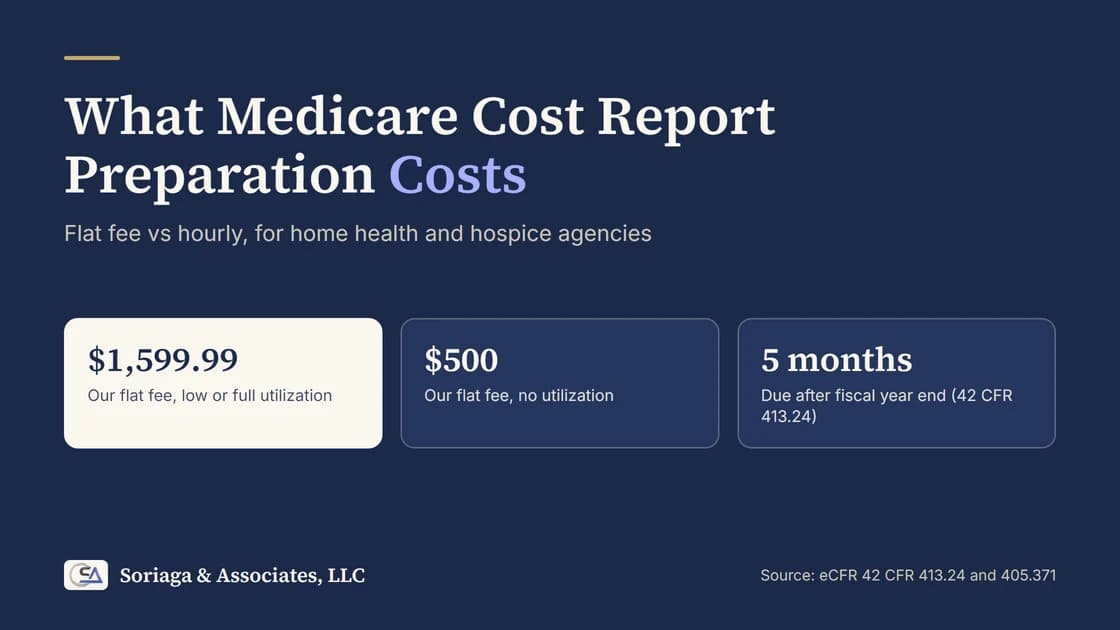
- Our fee: Medicare cost reports are $1,599.99 flat for low or full utilization.
Stuck on access or a mismatch? Book a free 20-minute call and bring your PS&R and trial balance.
What is a PS&R report?
PS&R stands for Provider Statistical and Reimbursement. CMS describes it as a system that collects statistical and reimbursement data for processed and finalized Medicare Part A claims. The reports summarize that data for cost reporting and for audit and settlement.
The current system is web-based and run centrally by CMS. It must be used for cost reports with fiscal years ending January 31, 2009 and later (CMS).
In plain terms, the PS&R is Medicare's own record of what it paid you. Your cost report asks you to compare your costs to those payments. So the PS&R sits under almost every line of the report.
You may also see MCReF in this context. It is the Medicare Cost Report E-Filing system, where cost reports are filed. The two are linked, and we explain how below.
What to do: Treat the PS&R as the source for your Medicare revenue. Your books should explain any difference from it.
Who uses the PS&R report?
CMS names three groups of users:
- Institutional providers, who use the reports to prepare the Medicare cost report.
- Medicare Administrative Contractors (MACs), the companies that pay claims and audit cost reports. They use the reports in audit and settlement.
- CMS.
For our clients, that mostly means home health agencies and hospices. If you file a cost report, you use the PS&R. Hospices also use it for a second filing, the self-determined cap.
What to do: Find out who at your agency owns the PS&R login. Do not leave it with one person.
How do I get access to the PS&R?
Access has two steps. First you register in CMS's identity management system. Then you request PS&R access for that user ID. A registered ID alone does not open the PS&R.
CMS's own PS&R page calls the sign-in system EIDM. Newer MAC pages call it IDM. Names change, so follow the link on your MAC's PS&R page.
Here is the path described by First Coast and Palmetto GBA, two MACs:
- Register a user ID. You give your details, set a password and complete multi-factor sign-in.
- Request the PS&R role. In the role request, you pick the PS&R/STAR application and the group for Medicare providers.
- Start with a Security Official. For a newly enrolling provider, the first role is the PS&R Security Official. This person registers the organization, sends the required documents, and approves other users.
- Complete identity proofing and wait for approval. You can track the request in the portal and you get an email when it is approved.
- Add your team. Approved users can then order reports. Each organization registers on its own. A home office registers a user for each facility.
MACs no longer mail PS&R reports. You get them online unless CMS tells the MAC otherwise (First Coast).
If you cannot see your provider number after you sign in, contact the help desk or the MAC contact named on your MAC's website.
What to do: Register your Security Official this week, before you need a report.
Which PS&R reports matter for a home health or hospice cost report?
CMS lists two main groups.
| Report group | What it gives you | How you get it |
|---|---|---|
| Provider Summary Reports | Totals summarized by criteria you choose, for cost reporting | You order them in the PS&R |
| Payment Reconciliation Reports | Claim-level detail that supports the summary | You request them, and your MAC must authorize and send them |
For the cost report, the Summary Report is the one you order first. CGS describes it as covering Medicare charges, patient days, deductibles, coinsurance and payments for each provider over a set period.
A faster option in MCReF. CGS, the MAC for Jurisdiction 15, says MCReF has offered one-click PS&R summary reports since May 13, 2025. They cover Part A, home health and hospice providers and download right away in a format your cost report vendor can use. CGS asks you to confirm that the default splits meet your filing needs. If they do not, order custom reports in the PS&R. Ask your own MAC whether it offers the same.
Extra reports for the hospice cap. A hospice that files the self-determined cap needs two PS&R reports, according to a Palmetto GBA instruction:
- A PS&R Summary for the cap period, October 1 to September 30, to get net reimbursement. Palmetto's steps select report groups 81X and 82X.
- A Hospice Beneficiary Count Summary, to get the beneficiary count. The report type must match the counting method on your cap form. Palmetto says most hospices use the proportional method, called "fully pro-rated" in the report list.
Report names and screens can change, so follow your own MAC's current instructions. For the hospice cap itself, see our guide to the hospice aggregate cap and our hospice cap calculator.
What to do: Write down the exact period, provider number and report type you ordered. You will need them when the MAC asks.
How do I match the PS&R to my books?
Do this before you start the cost report, not at the end.
- Pick the same period. Use your cost reporting period, not the calendar year.
- Order the Summary Report with the splits your cost report needs.
- Pull your trial balance for the same period.
- Compare Medicare revenue from the PS&R to Medicare revenue in your general ledger.
- List every difference with a note. Group them as timing, adjustments, write-offs or errors.
- Fix the books or note the difference before you file.
- Save a copy of the report you used, with the date you ordered it.
Cost data generally must follow the accrual method on the cost report (42 CFR 413.24). If your books are on a cash basis, expect timing gaps.
What to do: Set a target of finishing steps 1 to 5 at least four weeks before your due date.
What mismatches do we see most often?
These are the gaps we fix most often. They are patterns we see in practice, not a CMS list.
- Timing. The PS&R covers processed and finalized claims. Your books may hold revenue for claims that were not final when you pulled the report.
- Adjusted or voided claims. You booked the original payment. The PS&R shows the adjustment.
- Write-offs. The books reduce revenue for a write-off. Medicare's record does not.
- Wrong provider or period. A report for one provider number or one set of dates, compared to a different one.
- Cash basis books. Cash receipts are compared to accrual claims.
- Unposted remittances. A Medicare payment was received but not recorded, or recorded twice.
Finding these in October is a short job. Finding them the week of the due date is not.
What to do: Keep the mismatch list. Your CPA or your MAC may ask how each difference was resolved.
When should I request my PS&R relative to the cost report due date?
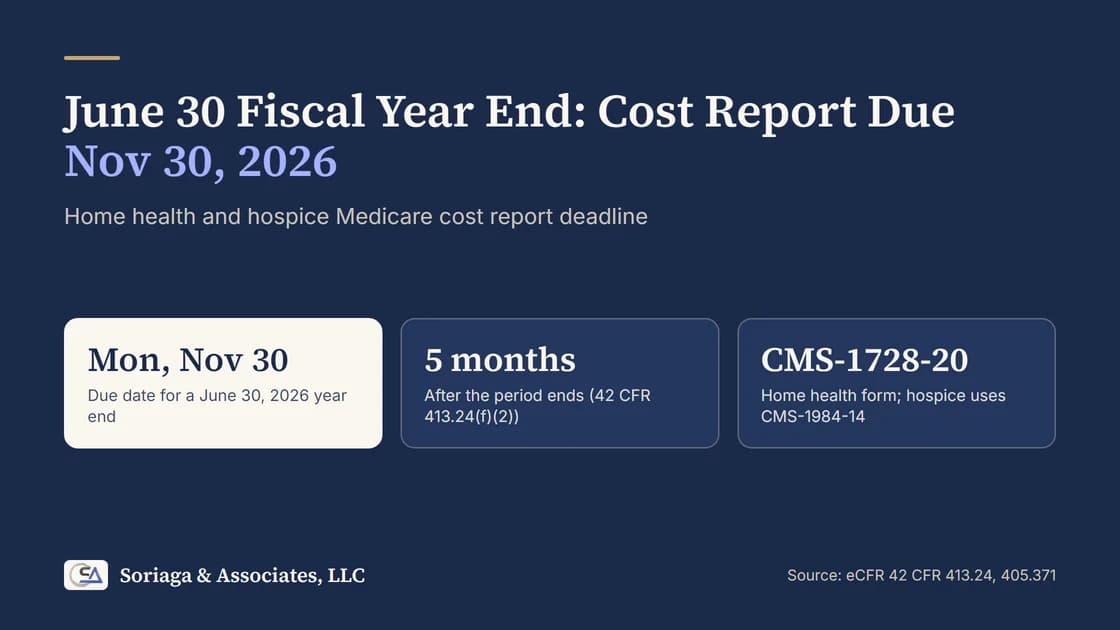
Earlier than you think. A Medicare cost report is due on or before the last day of the fifth month after the period ends, or 150 days after the period if it ends on another day (42 CFR 413.24(f)(2)). Use our cost report deadline calculator to see your date.
Then work backward:
- 60 or more days before the due date: Register for access. First Coast advises this.
- 8 weeks before: Order the Summary Report and start the match to your books.
- 4 weeks before: Finish the match and fix errors.
- 2 weeks before: Prepare, review and file.
The MAC decides within 30 days whether a report is acceptable, and a rejected report is treated as if it was never filed (42 CFR 413.24(f)(5)(iii)). Leave time to fix any PS&R gap before you file.
If you are already past the date, read our guide to a late or rejected Medicare cost report.
What to do: Put the access request on the calendar 60 days before your due date.
How we help
We file Medicare cost reports for home health agencies and hospices nationwide, remote. A low- or full-utilization cost report is $1,599.99 flat, and a no-utilization report is $500. We request or review your PS&R, match it to your books and file through MCReF.
See the pages for Medicare cost report filing, the home health cost report and the hospice cost report, or book a free 20-minute call.
Frequently asked questions
What is a PS&R report?
PS&R stands for Provider Statistical and Reimbursement. It is a CMS system that collects data on processed Medicare Part A claims. Providers use its reports to prepare the Medicare cost report, and Medicare contractors use them during audit and settlement.
Who needs a PS&R report?
Institutional providers that file a Medicare cost report, such as home health agencies and hospices. CMS lists providers, Medicare Administrative Contractors (MACs) and CMS itself as users.
How do I get access to the PS&R system?
Register in CMS's identity management system, then request PS&R access for your user ID. A new provider usually starts with a Security Official, who then approves other users. Your MAC's website lists the current steps.
What is the difference between a Provider Summary Report and a Payment Reconciliation Report?
A Provider Summary Report gives totals for cost reporting. A Payment Reconciliation Report gives claim-level detail that supports the summary. Because the detail has sensitive data, your MAC must authorize and send it.
Can I download the PS&R from MCReF?
At least one MAC says yes. CGS says MCReF has offered one-click PS&R summary reports to Part A, home health and hospice providers since May 13, 2025. Confirm the default splits fit your cost report, and ask your own MAC if it offers the same.
How early should I request my PS&R report?
Register for access well before the cost report is due. First Coast advises starting at least 60 days before the due date. A report is due on or before the last day of the fifth month after the period ends (42 CFR 413.24(f)(2)).
Why does my PS&R not match my books?
Common causes are timing, claims adjusted or voided after you booked revenue, the wrong provider number or period, and write-offs. We find the gap by comparing the PS&R to the general ledger line by line.
How much does it cost to have you file my cost report?
Medicare cost reports are $1,599.99 flat for a low- or full-utilization report. A no-utilization report is $500. That includes working from your PS&R and matching it to your books.
Next step
Book a free 20-minute call with Christian Soriaga, CPA. We will check your PS&R access, your due date and your books, and tell you what is left to do. You can also call (630) 491-1268.
Sources
- CMS, Provider Statistical and Reimbursement (PS&R) Report (what it is, users, report types, EIDM)
- First Coast Service Options, Understanding PS&R report registration (IDM, roles, 60 days)
- Palmetto GBA, PS&R: Obtain Access via IDM (steps and roles, April 2023)
- Palmetto GBA, Instruction: Ordering PS&R Reports (hospice cap reports, September 2023)
- CGS, PS&R guidance and notice on MCReF one-click PS&R reports (March 3, 2026)
- eCFR, 42 CFR 413.24, Adequate cost data and cost finding (due date, accrual basis, acceptability)
Last updated: October 2026.
This article is general information, not legal or tax advice. Confirm current PS&R steps with your MAC.
Soriaga & Associates, LLC is a CPA firm founded in 1985 in Lisle, Illinois, serving home health, hospice, home care, wound care and dental providers nationwide. (630) 491-1268.